How I Make Money with Amazon KDP: My Simple, Repeatable System
Last updated on February 13th, 2026 at 11:31 am
My Simple 3-Step Process to Research, Create, and Publish Books That Actually Sell
I have been making money with Amazon KDP since 2017 — it has been more than 8 years now.
Today, I will share with you my 3-Step process that anyone can use to make money with KDP (Kindle Direct Publishing). If you are new to KDP, it’s a self-publishing platform by Amazon that allows you to create and sell eBooks, paperback books, and hardcover books.
Let’s see how I make money with Amazon KDP…

🎁 Download 15 FREE KDP Interior Templates
Save time and create beautiful low-content books faster with these 15 ready-to-use KDP interiors — completely free! Perfect for journals, planners, and activity books.
Step 1 — Research (Niche & Keywords Research)
In this very first step, I look for book ideas on Amazon that are proven sellers. You can call this process both niche and keyword research. The idea is to look for a segment of the marketplace where people are looking for books (demand) and where there is enough room for new books (competition).
Ideally, I look for a niche where the demand is high and the competition is fairly low. For the research part, I use various tools (both free and paid) to speed up the process.
The tools I use include:
- Titans Pro — an all-in-one tool for finding niches and keywords for all major platforms, including Amazon.
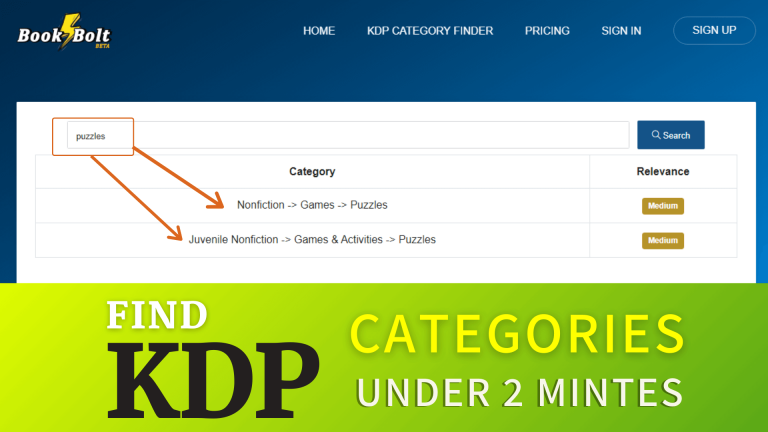
- Book Bolt — It has a collection of tools for both book research and book creation. Its main focus is on publishing low-content and medium-content books on Amazon.
- Amz Suggestions Expander — It’s a free Chrome extension that shows long-tail keywords/queries people are typing into the Amazon search bar.
- Amz Quick View — It’s another useful free Chrome extension that shows things like BSR (Best Seller Rank), book categories, book prices, and more right beneath the book.
Once I find a promising book idea using these free and paid KDP tools, I move on to the next step.
How I Quickly Find Profitable KDP Niche Ideas Using Titans Pro
You may like this post where I shared a simple yet effective way I use to find low-competition, profitable KDP niche ideas fast!
Step 2— Book Creation (Book Interior & Cover)
I look at the existing books in my niche and note down things that I can add to create a better version of the book. I think this one thing can really make your book stand out.
To create book interiors, I use different tools (both free and paid). If the book interior is simple and easy to create, I use Canva. On the other hand, if the book interior is complex and creating it manually takes weeks or months, in that case, I use some dedicated apps.
I use the following tools for the book creation process:
# 1 — Math Worksheets Generator
This is one of the best tools I have ever used to create educational books. This one tool allows me to create a wide range of high-quality math workbooks in hours (not days or weeks).
# 2 — Instant Puzzle Generator
This is one of the earliest KDP tools I purchased and started using. This tool is dedicated to creating high-quality word search puzzle books super fast.
# 3 — Coloring Book Generator
The coloring book generator is one of the best KDP tools by Self Publishing Titans. It comes with over 9,000 hand-drawn coloring book elements and a drag-and-drop feature to create KDP-compliant coloring books super fast.
# 4 — Canva (free/paid)
As I mentioned earlier, I use Canva for creating simple book interiors. I also use it to create all my book covers and A+ content.
Once my book interior and book covers are ready, I move on to the 3rd step.
✨I have also written a whole blog post about creating Math Workbooks for Amazon KDP, you can read my review of Math Worksheets Generator here.
Step 3 — Making the Book Live on Amazon
In this last step, I write the book metadata that includes the following things:
A keyword-rich title
I try to add a keyword or phrase in a natural way into my book title. For example, Long Division Math Workbook for 5th Grade. This title has multiple keywords in it but still looks natural while reading or speaking.
A descriptive sub-title
After the book title, I write a descriptive sub-title that basically describes the content of the book. For example: 100+ Practice Pages to Master Division Skills with 3,000 Equations.
A benefit-driven book description
Then I write a short book description that not only conveys the main features of the book, it also shows the main benefits for the end user. I do take help from AI for coming up with strong book descriptions.
7 backend keywords
To fill up the 7 backend KDP slots, I normally use long-tail keyword phrases highly relevant to the content of my book. To do that, I note down Amazon search suggestions and also take keywords from already selling books.
Book categories
I only use the most relevant book categories and avoid adding my books to irrelevant ones.
Uploading manuscript and cover
This step is a very obvious one. I upload both the book interior and book cover in PDF format. I preview them thoroughly using the KDP previewer and approve them.
Book Pricing
Finally, I price my book to make at least 60% royalties on each sale. While uploading, KDP shows the minimum price to earn 60% royalties; I price my book a bit higher than that amount and submit it for review.
👉 Want to create puzzle books for kids and adults in Powerpoint? Do check my post on Quickly Create Puzzles for KDP Low Content Books!
Conclusion!
That’s pretty much the whole process I use to create and publishing books on Amazon KDP. Nothing complicated, nothing secret. Just a simple workflow I’ve been following for years. KDP isn’t easy money, but it’s also not as overwhelming as it looks from the outside. Once you understand how to research, create something useful, and publish it the right way, things start making sense.
If you’re new, don’t stress too much about doing everything perfectly. Just publish your first book and learn from it. That first upload teaches you more than any video or blog post ever will.
And if you’ve been publishing for a while, hopefully this gave you a few ideas to tighten up your process or maybe try something different.
Either way, thanks for reading. I’ll be sharing more of these simple, real experiences here, so feel free to follow along if this kind of stuff helps you.
Disclaimer: Some links may be affiliate links, which means I may earn a small commission at no extra cost to you.
More posts about Amazon KDP self-publishing:
Want to Publish Your First Amazon KDP Book the Right Way?
I created a beginner-friendly Amazon KDP course that walks you through niche research, book creation, and publishing — step by step.
👉 Access the Amazon KDP MasterclassPerfect for beginners starting with low- and medium-content books.