How I Created a Word Search Puzzle Book in Minutes Using AI and Instant Puzzle Generator
Creating puzzle books used to take a lot of time. You had to come up with word lists, build puzzle grids manually, format pages, and then design everything so it looked professional enough to sell.
Now the process is much faster.
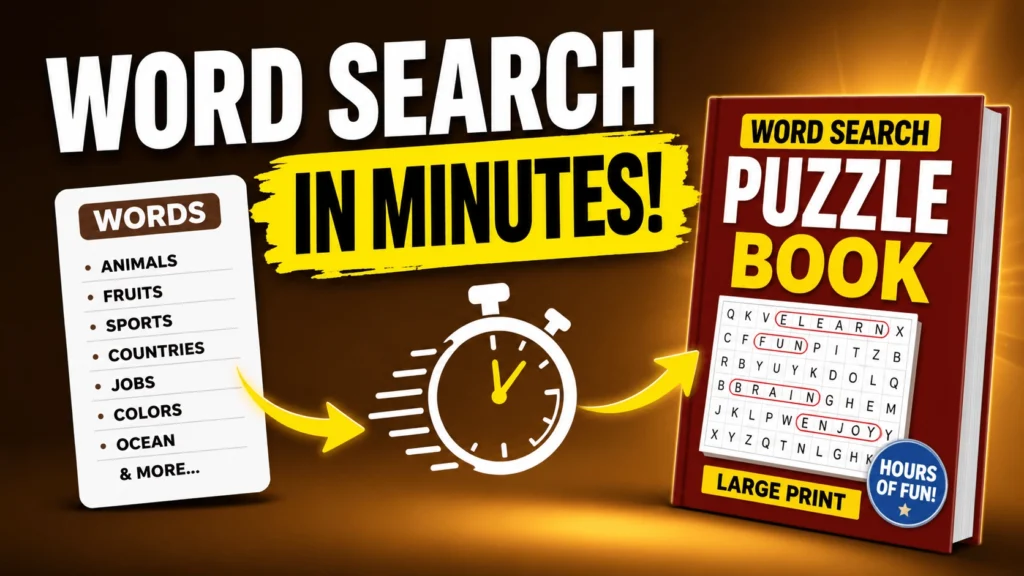
In this tutorial, I’ll show you how I turned a simple word list into a beautifully designed word search puzzle book that can be sold on Amazon KDP, Etsy, or even as printable worksheets on Teachers Pay Teachers.
The best part is that I created the entire thing in minutes using AI and a simple puzzle generator tool.
The Final Result
Here’s what I created:
- 20 professionally designed word search puzzle pages
- Matching solution pages
- Ready-to-download PDF format
- Large print puzzle layout
- Clean formatting suitable for KDP and printable sales
This type of puzzle book can work well for:
- Amazon KDP low content publishing
- Etsy printable products
- Teachers Pay Teachers resources
- Your own digital product store
🎁 Download 15 FREE KDP Interior Templates
Save time and create beautiful low-content books faster with these 15 ready-to-use KDP interiors — completely free! Perfect for journals, planners, and activity books.
Note: This post has affiliate links and I may earn a commission at NO extra cost to you. I only promote tools and resources that I personally use and find helpful.
Step 1: Generate the Word List Using AI
The first thing I needed was a list of words.
Instead of creating everything manually, I used ChatGPT to quickly generate themed word lists for my puzzle book.
I used a simple prompt like this:
I want to create word list for my word search book.
Title: title goes here
15 words (one per row)
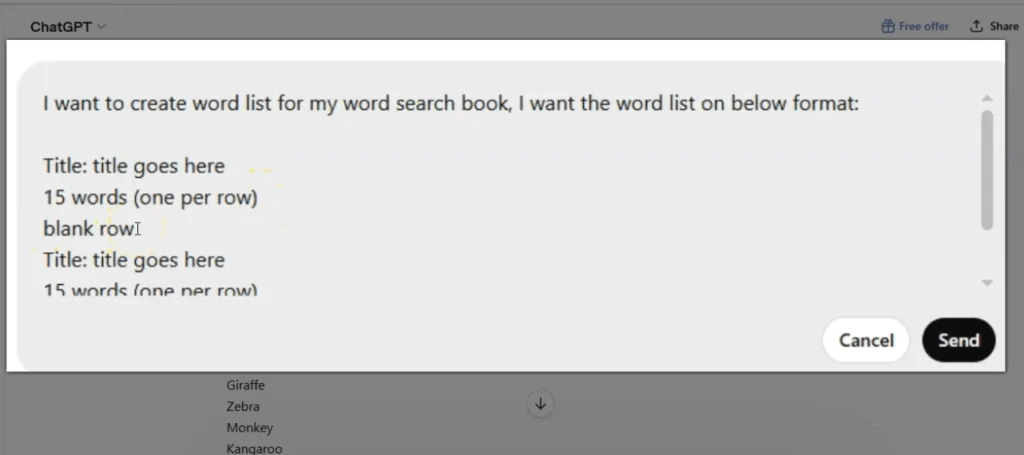
Then I asked it to create 20 sets of words.
Within seconds, it generated categories like:
Title: Animals
- Fruits
- Sports
- Countries
- Jobs
- Colors
- Ocean Animals
- School Supplies
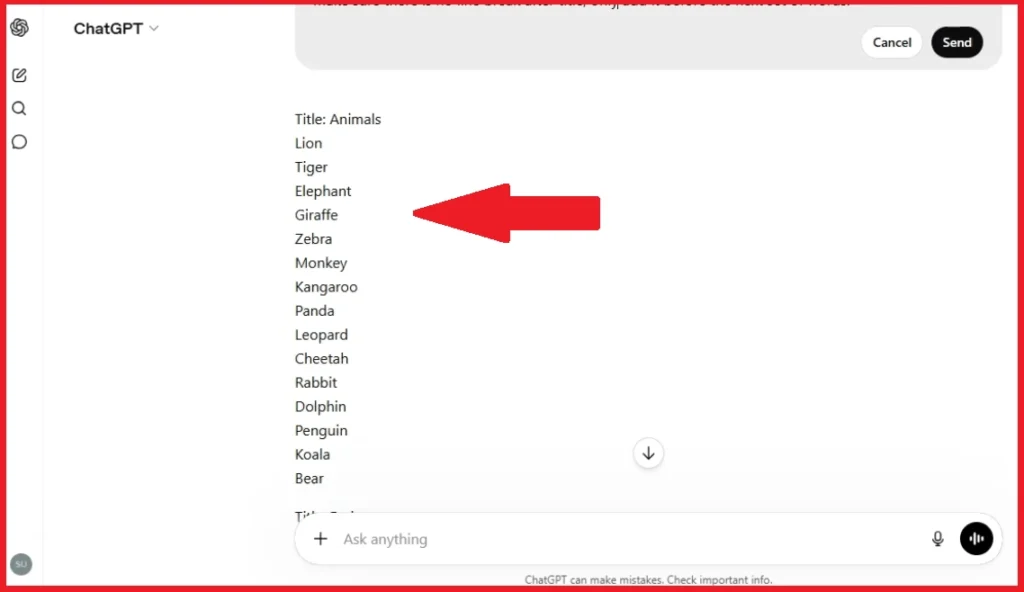
And many more. This alone saves a huge amount of time. Once the list was generated, I copied everything into a simple text document and saved it on my computer.
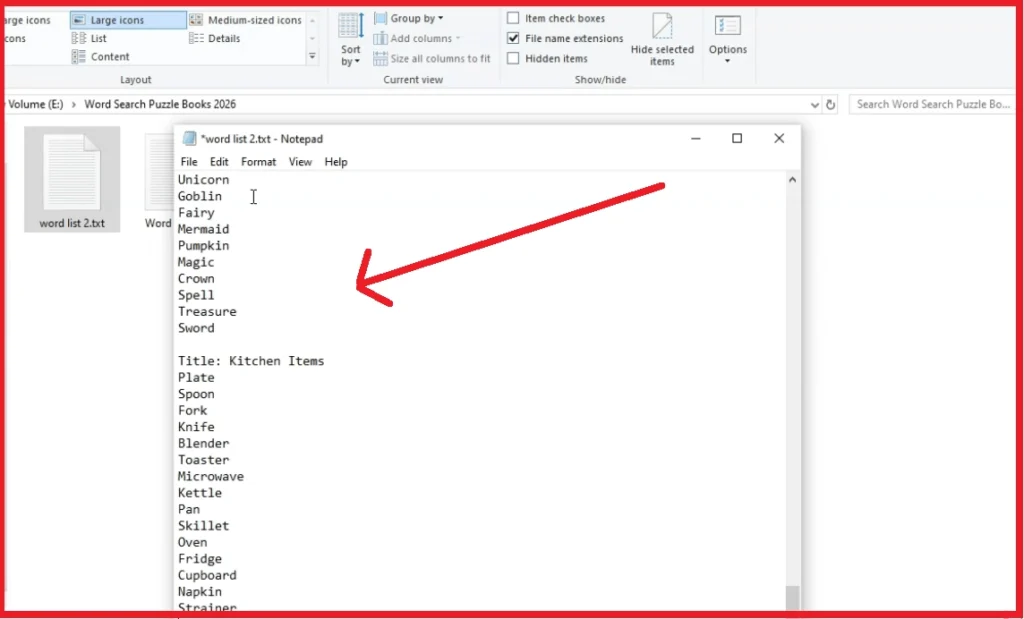
That’s it. My word list was ready.
Step 2: Upload the Word List Into Instant Puzzle Generator
After creating the word list, I uploaded it into Instant Puzzle Generator.
This is the tool I used to turn a plain text file into a professionally designed word search puzzle book.
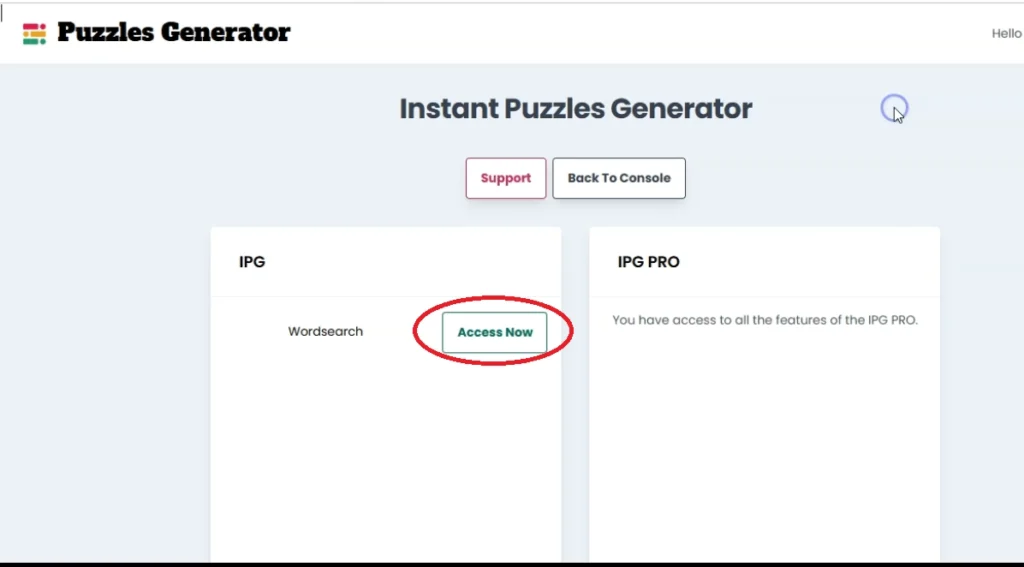
I’ve personally been using this tool for several years because it’s fast and extremely easy to use.
The workflow is simple:
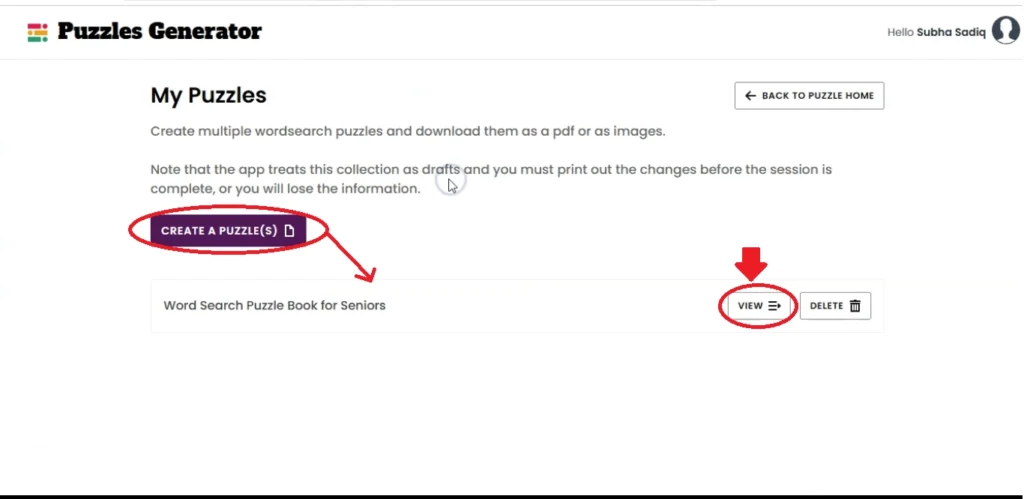
Step 1- Create a new puzzle project
I created a new word search puzzle project and named it as “Word Search Puzzle Book for Seniors”, then clicked on the View button in front of it.
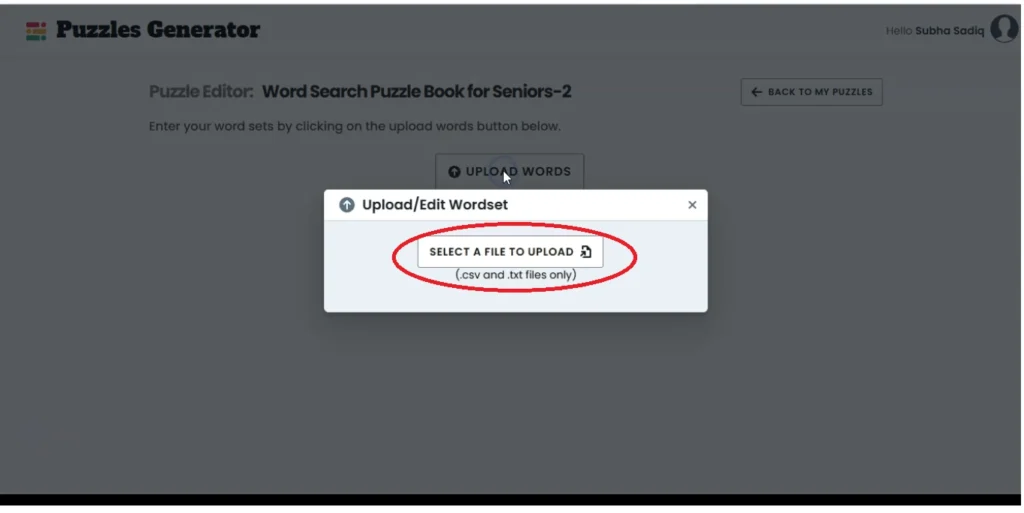
Step 2- Upload your word list file
On the next page, I uploaded my word lists that I took from ChatGPT and saved as .txt file.
Step 3 – Choose your settings
From the right hand side, you can access the Global Settings panel and customize your puzzle pages. You can change fonts, font size, change position and layout of clues, grid size and a lot more.
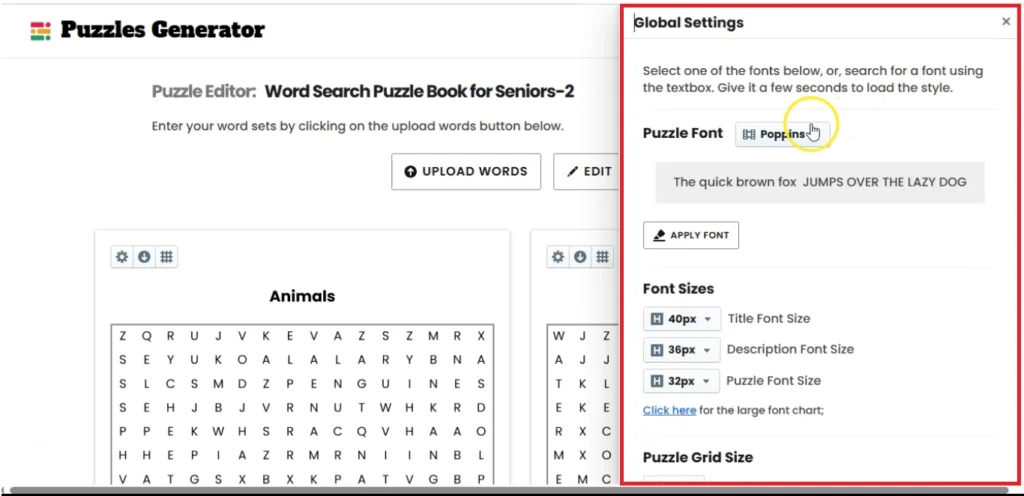
I just did a couple of things only. I increased the puzzle title size to 48 and then change the puzzle clues to Three Columns Bottom.
Step 4 – Generate the puzzle pages
This fourth step is automatic inside Instant Puzzle Generator. Once you make any change from the local settings or global settings, it regenerates the puzzle pages with those settings.
Step 5 – Download the final book
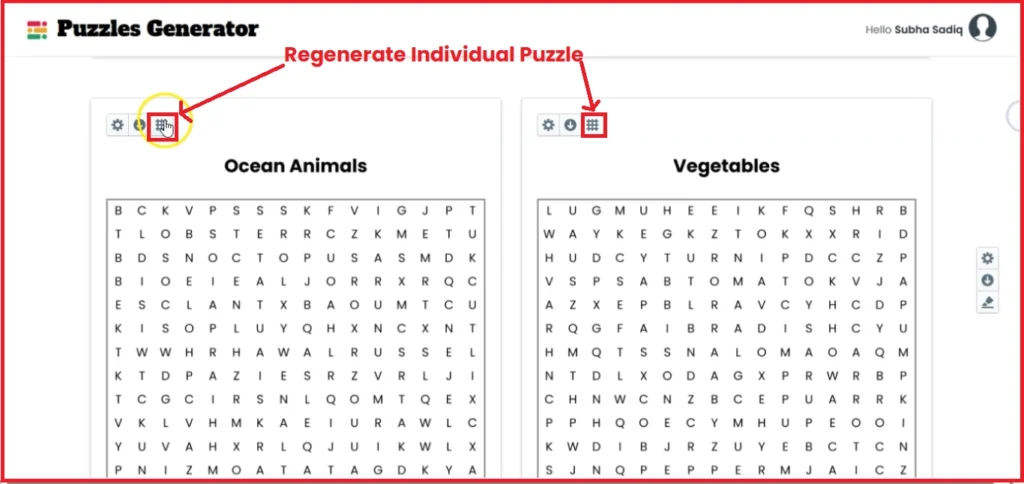
Lastly, you can do a quick review of both puzzle and solutions pages. If you not happy with any solution page, you can simply regenerate that puzzle page, it will automatically adjust the solutions page.
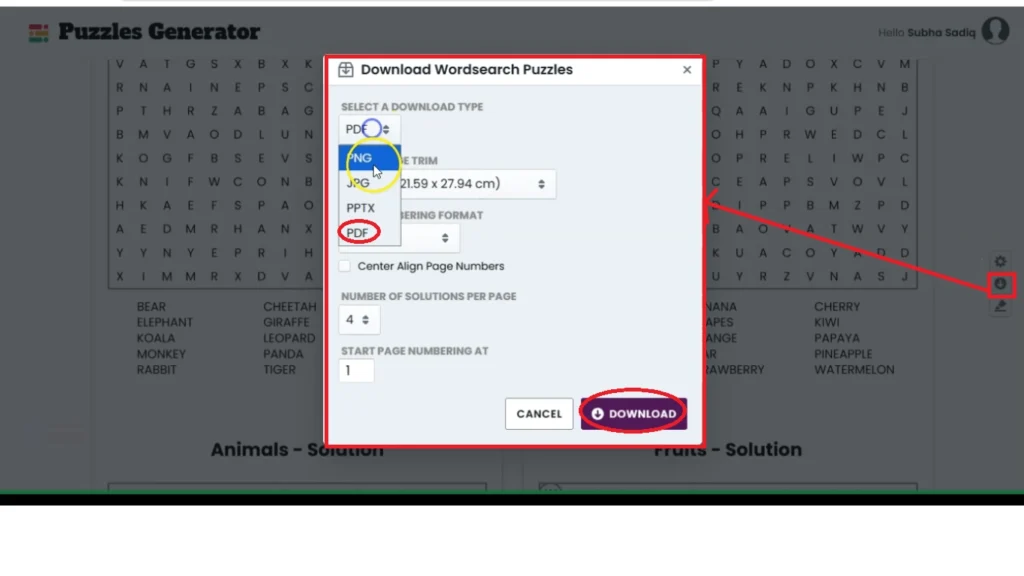
Once, you are satisfied with your word search puzzles, you can access the download button from the right side menu. This tool allows you to select file type as PDF, set the page number layout, and set the solution count per page. Finally, you can hit the download button, and it will process the file and save it as read to print PDF on to your hard drive.
The tool instantly creates:
- Puzzle grids
- Clue sections
- Solution pages
- Formatted layouts
without needing any design experience.
👉 Checkout Instant Puzzle Generator: https://lowcontentprofits.com/instant-puzzle-generator
Special Bonus: If you pick up instant puzzle generator using above link, you will get instant access to my Amazon KDP Course (100% Free).
The Settings I Used
For this demo word search puzzle book project, I kept things super simple. Here are the settings I used:
Grid Size
I used a 16 x 16 puzzle grid. You can also increase the difficulty level by using larger grids like:
- 22 x 22
- 29 x 29
depending on your audience.
Puzzle Clues Layout
I changed the clues section to:
Three Column Bottom
This gave the pages a cleaner and more professional look.
Solution Pages
The tool also generates solution pages automatically. If a solution page looks strange or cluttered, you can simply regenerate that page with one click.
That feature is extremely useful.
Exporting the Puzzle Book
Once everything looked good, I downloaded the final book as a PDF.
I used:
- 8.5 x 11 trim size
- Page numbers enabled
- Four solutions per page
After exporting, the puzzle book was fully ready to sell online. No extra formatting was needed.
Where You Can Sell These Puzzle Books
You can use this method to create products for:
Amazon KDP
Word search books continue to be popular in the low content publishing space. You can create themed books for:
- Kids
- Adults
- Seniors
- Holidays
- Educational topics
and publish them directly on Amazon.
Etsy
You can also sell these as printable digital downloads. Many Etsy sellers bundle puzzle books into printable activity packs.
Teachers Pay Teachers
Educational puzzle worksheets can also work well for classroom activities and homeschool resources.
Why I Like Instant Puzzle Generator
The biggest reason I like this tool is speed. Instead of manually designing puzzle pages, everything is automated.
It quickly transforms a simple word list into a polished puzzle book that actually looks professional enough to sell.
Some things I like about it:
- One-time payment
- Fast puzzle generation
- Automatic solution pages
- Easy customization
- Multiple export formats
- Beginner-friendly interface
If you want to create word search books consistently, this tool can save a massive amount of time.
Final Thoughts
This entire project started with a simple AI-generated word list.
Within minutes, I turned it into a complete word search puzzle book ready for Amazon KDP and Etsy.
If you want to create printable puzzle books faster, I highly recommend checking out Instant Puzzle Generator. It’s one of the easiest ways I’ve found to create professional word search books without spending hours designing everything manually.
Try Instant Puzzle Generator
If you want to create your own word search puzzle books quickly, check out Instant Puzzle Generator and start building your first puzzle book today.
Thanks for reading it.
Continue Learning…
🧮 Create Math Workbooks in Minutes
I’ve been using Math Worksheets Generator to create math workbooks super fast — and it’s a total game changer! So far, I’ve created 17 books (16 live on Amazon) and made over $14,000 in royalties.
The vendor recently introduced a monthly subscription, but the lifetime deal is still available — and it might be discontinued soon.
Get Math Worksheets GeneratorAffiliate disclaimer: I may earn a small commission if you purchase through my link — at no extra cost to you.