Pin Inspector Review 2026: Features, Pros, Cons & Is It Worth Buying?
Spending hours doing manual Pinterest keyword research? Tired of tools that break or drain your wallet with monthly fees?
I get it. Most Pinterest tools overpromise and underdeliver.
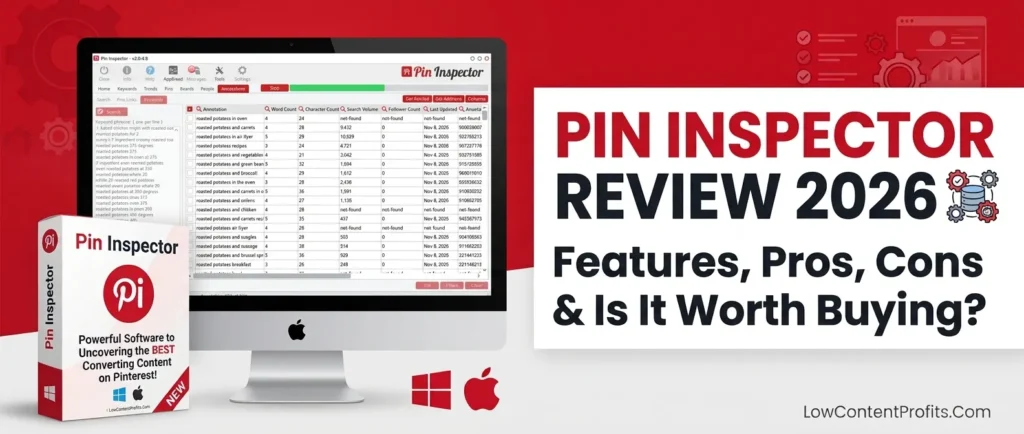
I recently started using Pin Inspector as part of my Pinterest content research, and I’ve been exploring how its features can help with keyword research, competitor analysis, and finding content opportunities.
In this Pin Inspector review, I’ll share a straightforward, fact-based look at what the tool offers, its pros and cons, its pricing, and whether it’s worth considering in 2026.
Let’s get into it.
What Is Pin Inspector and How Does It Work?
🎁 Download 15 FREE KDP Interior Templates
Save time and create beautiful low-content books faster with these 15 ready-to-use KDP interiors — completely free! Perfect for journals, planners, and activity books.
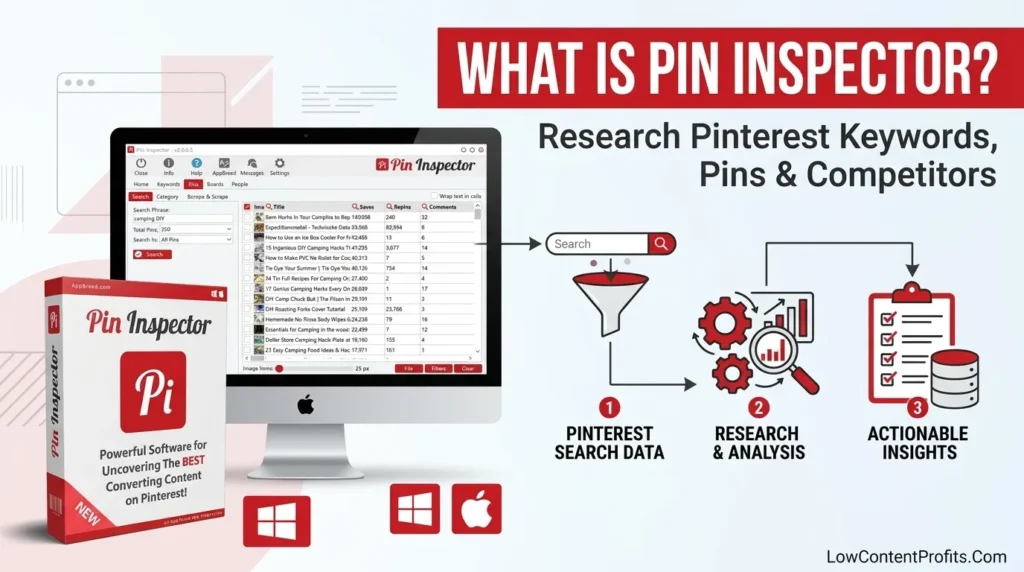
Pin Inspector is a desktop Pinterest research software built for bloggers, content creators, and business owners who want real data to grow their Pinterest organic traffic.
It extracts data directly from the Pinterest platform in real time. No cached results. No outdated numbers. What you see is what Pinterest is actually showing right now.
The Person Behind the Tool: Dave Guindon
Dave Guindon is the software developer who created Pin Inspector. He is also behind other well-known digital marketing tools like the Insights Analyzer.
What makes Dave stand out is consistency. He has continued updating Pin Inspector since its launch. In a market where most Pinterest tools disappear within months, that matters a great deal.
How Pin Inspector Pulls Real Pinterest Data (And Why This Keeps It Safe)
Remember Board Booster? It relied directly on the Pinterest API. When Pinterest changed its API access rules, Board Booster shut down overnight with no warning.
Pin Inspector works differently.
It pulls publicly available data from Pinterest’s website source code rather than through the API. This means Pinterest policy changes are far less likely to impact the tool.
This is why Pin Inspector has remained stable and safe to use while dozens of other Pinterest tools have come and gone.
Mac vs Windows: Who Can Use It?
Pin Inspector is available for both Mac OSX and Windows as a downloadable desktop application. One license allows up to 10 device installs, which is valuable for teams and agencies managing multiple accounts.
Pin Inspector Features: A Complete Breakdown of What You Actually Get
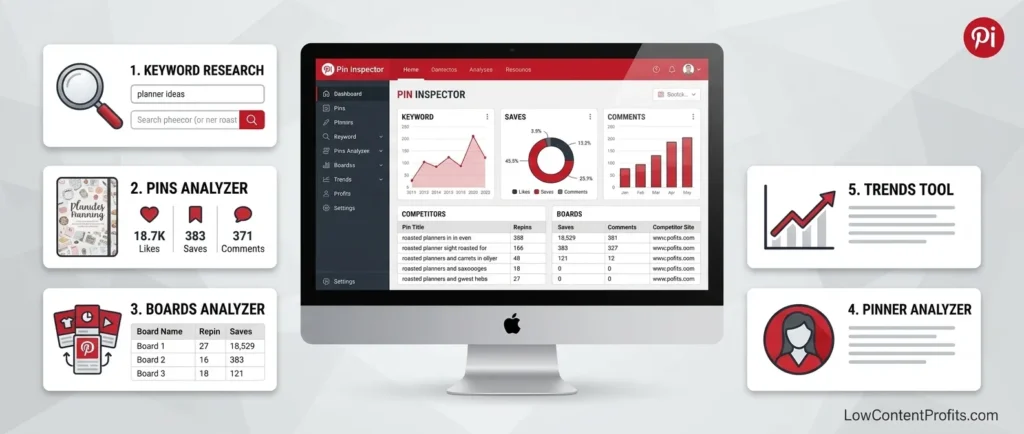
Pin Inspector is not just a Pinterest keyword tool. It is a full research suite with five core functions that work together.
Pinterest Keyword Research Tool (Bulk Generator)
This is the most used feature, and for good reason.
Enter one seed keyword and Pin Inspector generates hundreds of related keyword variations in seconds.
As an example, entering “digital products” can return over 200 keyword variations that Pinterest users are actively searching for today. Doing that manually in Pinterest’s search bar gives you maybe 8 to 10 suggestions per search.
Pin Inspector also shows the rank of each keyword. Rank refers to its position in Pinterest’s suggested search list below the search bar. The higher the position, the higher the implied search demand.
This makes it fast and practical to identify low-competition, high-relevance keywords that you can realistically rank for quickly.
A major 2026 update: As of version 2.0.0.8, Pin Inspector integrates with Keywords Everywhere to display actual monthly search volume and keyword difficulty scores inside the tool. This closes the biggest data gap the earlier versions had. Most competitors’ reviews have not covered this update at all.
👉 Related Post: How I Make Money with Amazon KDP: My Simple, Repeatable System
Pins Analyzer: Spy on Top Performing Content
The Pins Analyzer lets you examine any pin on Pinterest in full detail.
With one click, you get:
- Full pin description and optimization quality
- Upload method (manual or scheduler like Tailwind)
- Publish date
- Number of saves, comments, and repins
- Pin type: static image, video, or Idea Pin
- Whether it is fresh content or a repin
One feature that competitors rarely highlight: pin annotation viewing.
Pin annotations are the hidden keywords Pinterest automatically assigns to any pin behind the scenes. Pinterest uses these to decide where to distribute your content. Seeing them gives you direct access to the exact language Pinterest’s algorithm is already reading in your niche.
Boards Analyzer: Find What Ranks and Why
The Boards Analyzer shows which Pinterest boards are ranking for any keyword you search.
You can quickly see:
- Board title and description quality
- Number of pins and followers
- Last pinning activity date
- Engagement and comment levels
This is useful for planning your own board structure. There is also an opportunity most Pinterest marketers miss completely: Pinterest boards often appear in Google search results directly. Optimizing your boards well can give your content double exposure across both platforms.
Pinner and Competitor Analyzer: Reverse-Engineer What Works
The People (Pinner) Analyzer is the most underrated feature in Pin Inspector.
Search any keyword and Pin Inspector surfaces the top-performing Pinterest accounts in that niche. Click into any account and you can see:
- Total followers, impressions, pins, and boards
- Verified Merchant status
- Whether the domain is claimed
- Pinning frequency and scheduling habits
- Mix of fresh pins vs repins
- Content types used (video, Idea Pins, static images)
This is a full competitor Pinterest account audit completed in minutes. What used to take two days of manual research now takes under one hour.
Trends Tool + Keywords Everywhere Integration (2026 Update)
Pin Inspector includes a built-in Trends Tool that functions similarly to Pinterest Trends but operates directly inside the software.
Feed in your target keyword. See how search demand shifts across months. Identify keywords with steady year-round performance rather than seasonal spikes. This keeps your content generating clicks consistently, not just during peak periods.
Combined with the Keywords Everywhere API integration, you now have search volume, difficulty, and trend data in a single research workflow. That is a significant upgrade for anyone serious about Pinterest SEO strategy in 2026.
Pin Inspector Pros and Cons: An Honest Look
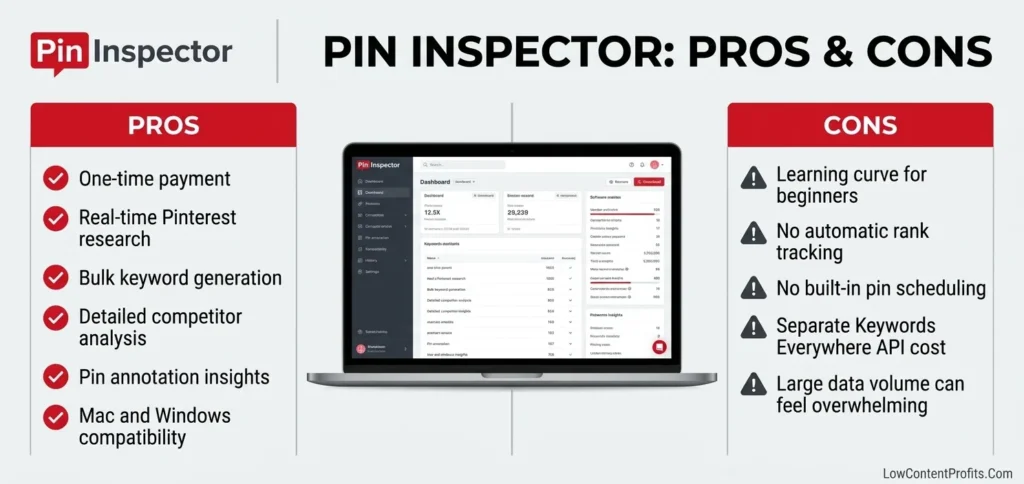
No tool is perfect. Here is a balanced breakdown based on real use.
| Pros | Cons |
|---|---|
| One-time payment, no monthly fees | High data volume can overwhelm beginners |
| Real-time Pinterest data | No automatic rank tracking for your own pins |
| Bulk keyword generation (200+ at once) | Must clear data manually between new searches |
| Deep competitor and account audit tools | No built-in scheduling or pinning automation |
| Pin annotation viewer (hidden keyword data) | Keywords Everywhere requires a separate paid API key |
| Works on both Mac and Windows | Not useful without an active blog or website |
| Up to 10 device installs on one license | Customer support response can be slow |
| 30-day money-back guarantee |
Where Pin Inspector Genuinely Wins
The keyword generator alone saves hours every week. For bloggers, digital product sellers, Etsy sellers, KDP publishers, and Pinterest Virtual Assistants managing multiple client accounts, that time saving directly translates to money.
Real-time data is a genuine advantage. You are not reading historical averages. You are seeing active Pinterest data, which matters on a platform that shifts constantly.
Competitor analysis depth is unmatched at this price point. No other standalone Pinterest research tool offers the same level of account intelligence for a one-time fee.
Where Pin Inspector Falls Short
Pin Inspector does not schedule pins. For automating your pinning workflow, you will still need Tailwind or a similar tool running alongside it.
There is no automatic rank tracker for monitoring your own pins over time. PinClicks offers this feature, which is why some advanced users prefer it for performance tracking.
The data volume can feel overwhelming at first. This is a research tool for action-takers. It rewards users who know what they are looking for.
Pin Inspector Pricing in 2026: Is the One-Time Cost Worth It?
How Much Does Pin Inspector Cost?
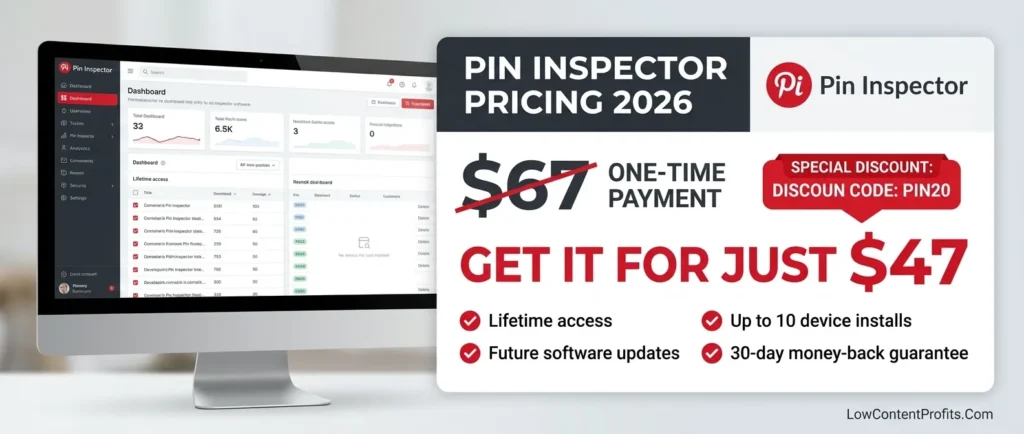
Pin Inspector is a one-time payment of $67. No monthly fees. No annual renewals. Pay once and use it for life.
That single payment includes:
- Lifetime access to all features
- All future software updates
- Up to 10 device installs
- 30-day money-back guarantee
Pin Inspector Discount Code: Get $20 OFF With PIN20
Use the code PIN20 at checkout and your total drops to just $47.
For a tool that replaces days of manual research, $47 is an extremely strong return on investment. Multiple Pinterest managers report that it paid for itself within the first month of use alone.
Pin Inspector vs PinClicks vs Tailwind: Which Gives You More for Your Money?
Here is a direct 12-month cost comparison:
| Tool | 12-Month Cost | One-Time Option? | Core Strength |
|---|---|---|---|
| Pin Inspector | $47 (with PIN20) | Yes | Deep research + competitor analysis |
| PinClicks | $348+ ($29/month) | No | Rank tracking + clean keyword interface |
| Tailwind | $179+ ($14.99/month) | No | Scheduling + automation |
| Pinterest Trends | Free | Yes | Basic trend data only |
Over 12 months, PinClicks costs roughly 7 times more than Pin Inspector.
PinClicks does offer automatic rank tracking and a cleaner interface. But if deep keyword research, competitor intelligence, and Pinterest SEO content planning are your priorities, Pin Inspector delivers far more for a fraction of the ongoing cost.
Who Should Use Pin Inspector in 2026 (And Who Should Skip It)
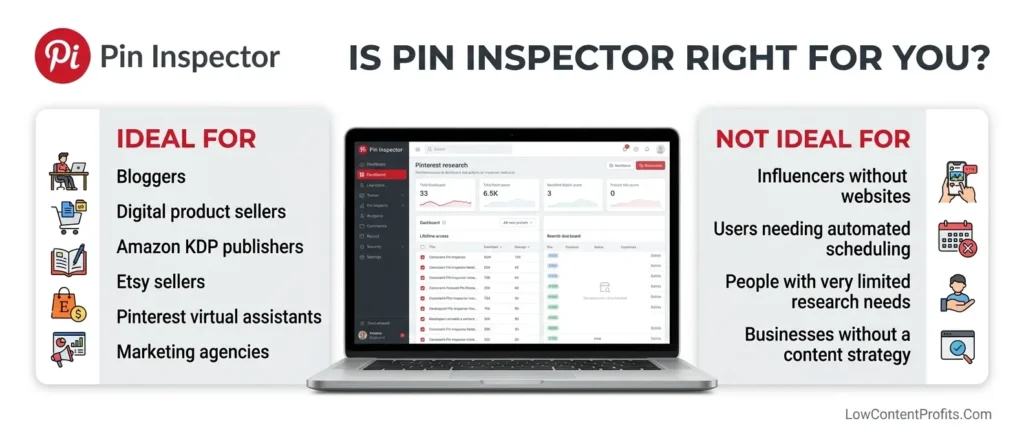
Pin Inspector Is the Right Fit If You Are…
A blogger or content creator. Pin Inspector is designed for people who publish content and need a consistent stream of high-ranking Pinterest keywords to bring steady organic traffic to their posts.
A digital product seller. If you sell on Gumroad, your own website, or similar platforms and you want Pinterest driving traffic to your offers, Pin Inspector helps you find the exact search terms your buyers are typing in right now.
A KDP publisher or low-content creator. Finding niche keywords buyers are searching on Pinterest is a highly underused strategy in the KDP space. Pin Inspector makes this fast and repeatable.
A Pinterest VA or marketing agency. Managing five to ten client accounts? This tool cuts research from days to hours. One license, ten installs, unlimited client use.
An Etsy seller. Keyword discovery and competitor pin research can directly improve your product visibility when you apply findings to your Pinterest content strategy.
Pin Inspector Is NOT for You If…
You run an ecommerce brand with no blog. Pinterest rewards content-driven strategy. A product feed alone will not deliver strong Pinterest organic traffic results without supporting blog content.
You are an influencer without a website. What performs well on Instagram or TikTok does not automatically translate to Pinterest visibility.
You are in a very narrow niche with only a handful of content needs. If you only need ten keywords once, the tool investment is not necessary.
You need an all-in-one scheduling solution. Pin Inspector is a research tool. It does not pin or automate anything. You will need Tailwind or a similar scheduler alongside it.
Final Verdict: Should You Buy Pin Inspector in 2026?
Pin Inspector is not a perfect tool. No tool is.
But at $47 with code PIN20, it replaces days of manual Pinterest keyword research. It gives you real-time keyword data, deep competitor intelligence, board analysis, pin annotation access, and trend insights all inside one desktop application.
The one-time payment model, 10-device license, Mac and Windows compatibility, and Dave Guindon’s consistent update track record make it one of the most reliable investments in the Pinterest marketing tools space today.
If you are serious about growing Pinterest traffic to your blog, digital products, Etsy shop, or KDP titles, Pin Inspector belongs in your toolkit.
Use code PIN20 at checkout and get it for $47. With a 30-day money-back guarantee, there is no risk in finding out for yourself.
Next Useful Post for You: Publisher Rocket vs Titans Pro: Which Is Better for KDP?
Frequently Asked Questions About Pin Inspector
What is Pin Inspector and how does it work?
Pin Inspector is a desktop Pinterest research software created by Dave Guindon. It works by pulling publicly available data directly from Pinterest’s website, giving you real-time keyword data, competitor insights, board analysis, pin annotations, and trend information without depending on the Pinterest API.
Is Pin Inspector worth it in 2026?
Yes, for bloggers, digital product sellers, Etsy sellers, KDP publishers, Pinterest VAs, and content creators who rely on Pinterest for traffic. The one-time $47 cost with code PIN20 delivers ongoing research value that subscription tools charge hundreds of dollars per year to provide.
How much does Pin Inspector cost?
Pin Inspector is a one-time payment of $67, or $47 with the discount code PIN20. There are no monthly fees, no renewals, and no hidden costs. It includes a 30-day money-back guarantee.
Can Pin Inspector help find profitable Pinterest keywords?
Yes. The bulk keyword generator produces 200+ related keyword variations from a single seed keyword. It shows keyword rank position to signal relative search demand, and integrates with Keywords Everywhere to display actual search volume and difficulty scores inside the tool.
Does Pin Inspector help analyze competitors’ Pinterest pins?
Yes. The Pins Analyzer, Boards Analyzer, and Pinner Analyzer give you detailed competitor data including keyword usage, pinning frequency, content types, board structure, pin annotations, and full account strategy breakdowns.
Is Pin Inspector good for beginners and Pinterest marketers?
It is a strong tool at every level. Beginners may face a short learning curve due to the data volume, but Dave Guindon provides tutorial videos inside the platform. For anyone serious about Pinterest SEO, it is one of the most practical standalone research tools available today.
What are the best alternatives to Pin Inspector?
- PinClicks — better for automatic rank tracking and a cleaner interface, but costs $29 per month
- Tailwind — better for scheduling and smart automation, not deep keyword research
- Pinterest Trends (free) — useful for seasonal trend data but very limited in depth
- Keywords Everywhere (Chrome extension) — adds keyword volume to Pinterest searches but lacks a full research suite
My Recommended KDP Masterclass 2026 💡
KDP Masterclass By Self Publishing Titans
I absolutely love this Masterclass because it’s one of the most up-to-date and practical KDP courses available. The creators aren’t just teachers — they’re real KDP publishers who’ve earned over $300K in book royalties! 📚 I personally took this class and noticed a steady increase in my KDP sales over time. If you’re serious about growing your publishing business in 2026, this course is a total game changer.