Children’s Book Creator Review (2026): My Honest Experience After Publishing a Children’s Book
If you’ve been thinking about publishing children’s picture books on Amazon KDP, you’ve probably come across Children’s Book Creator by Nuria Corbi.
I first enrolled in this course more than three years ago because I wanted to learn the complete process of creating and self-publishing children’s books. At the time, there weren’t many beginner-friendly courses that explained everything from choosing a story idea to designing the book, creating the cover, and publishing it on Amazon KDP.
Instead of just watching the lessons, I decided to follow the course step by step and create my own children’s book alongside Nuria’s tutorials.
That decision paid off.
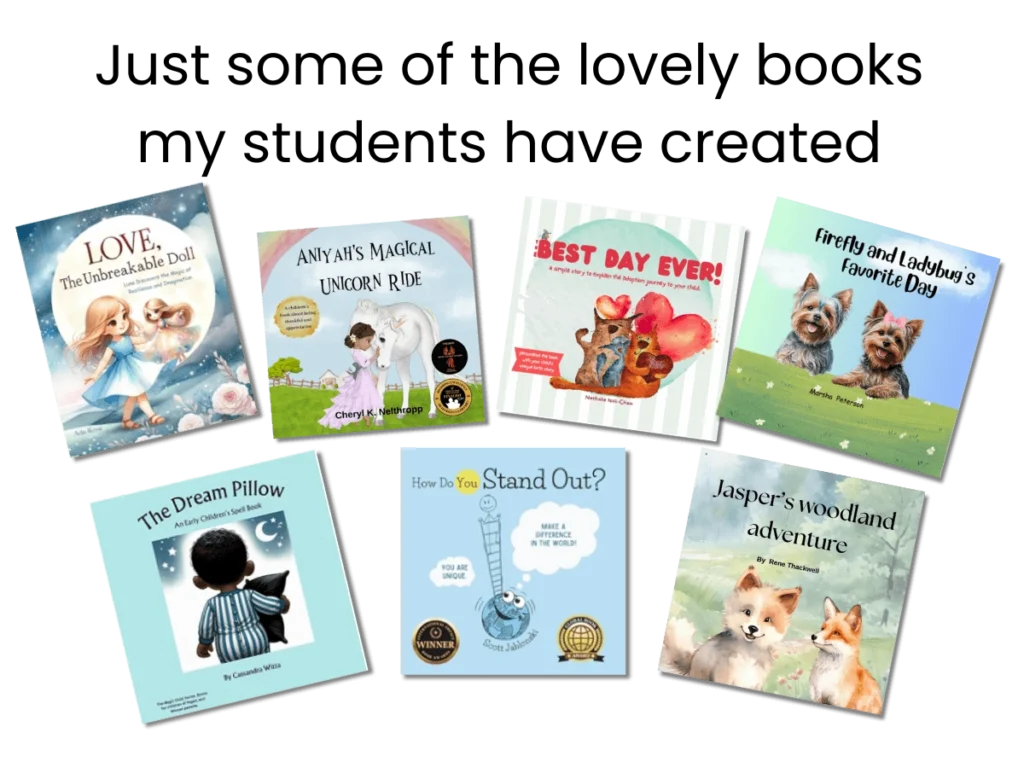
Using the methods taught in the course, I published my first children’s picture book on Amazon KDP. The book went on to make sales and even received a 5-star customer review. While I haven’t completed every lesson in the course, I’ve finished the modules that took me from idea to publication and have continued to revisit the lessons whenever I need a refresher.
In this review, I’ll share my honest experience with the course, what’s included, who it’s best suited for, and whether I think it’s worth the investment in 2026.
Note: This post has affiliate links, and I may earn a commission at no extra cost to you
What Is Children’s Book Creator?
🎁 Download 15 FREE KDP Interior Templates
Save time and create beautiful low-content books faster with these 15 ready-to-use KDP interiors — completely free! Perfect for journals, planners, and activity books.
Children’s Book Creator is a comprehensive online course created by Nuria Corbi that teaches beginners how to write, design, publish, and market children’s picture books on Amazon KDP.
Rather than focusing on just one part of the publishing process, the course walks you through the entire journey, including:
- Choosing a profitable book idea
- Finding or creating illustrations
- Planning your story
- Designing the interior in Canva
- Creating a professional cover
- Publishing on Amazon KDP
- Writing your book description
- Keyword research
- Marketing your finished book
One thing I appreciated early on was that the course follows a logical order. Each module builds on the previous one, making it easy to progress even if you’ve never published a children’s book before.
Who Is Nuria Corbi?
Nuria Corbi is an award-winning author, entrepreneur, and self-publisher who has created multiple courses for aspiring authors and Amazon KDP publishers.
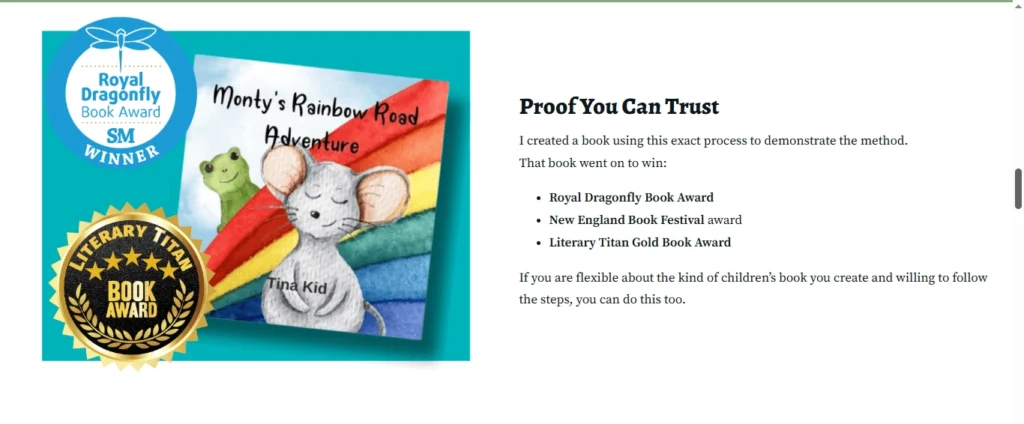
Throughout the course, she teaches using real examples from her own publishing process rather than relying only on theory. One feature I found particularly helpful was that she builds an actual children’s book during the lessons, allowing you to follow along and apply the same process to your own project.
The course also includes downloadable worksheets, templates, checklists, and a private Facebook community where students can ask questions, share progress, and connect with other publishers.
For beginners, having that additional support can make the learning process much less overwhelming.
What’s Included in the Children’s Book Creator Course?
One thing I noticed after enrolling is that this isn’t a short course that only covers writing a story or uploading a book to Amazon. Instead, it takes you through the complete publishing process from start to finish.
The course is divided into several modules, with each one focusing on a different stage of creating and publishing a children’s picture book.
Module 1: Understanding the Concept
The course begins by explaining the fundamentals of children’s book publishing and the differences between self-publishing and traditional publishing.
Nuria also shares ideas for choosing your book topic, finding suitable illustrations, organizing your files in Canva, and locating image resources. If you prefer custom illustrations, she even explains how to work with illustrators and provides guidance on finding one.
I liked that the course starts with planning before jumping into design. Having a clear roadmap made the rest of the lessons much easier to follow.
Module 2: Planning Your Book Structure
Before creating any pages, this module focuses on how children’s books are structured.
You’ll learn about:
- Book layouts
- Storyboards
- Page spreads
- Trim sizes
- Amazon KDP print options
- Bleed vs. no bleed
These details may seem small, but they’re important if you want your finished book to look professional and print correctly.
Module 3: Building Your Story
This section helps you turn your idea into a complete children’s story.
Topics include:
- Choosing a story topic
- Structuring the plot
- Making your story more engaging
- Using downloadable worksheets to organize your ideas
Even if you’ve never written a children’s story before, the lessons break the process into manageable steps.
Module 4: Creating the Book Interior
This is probably the section I found most valuable because it’s where you actually build your book.
Nuria walks through the creation of a complete children’s picture book inside Canva, explaining each page as she goes.
The lessons cover:
- Researching the book
- Designing each page
- Adding illustrations
- Introducing characters
- Formatting the interior
- Finishing the manuscript
Since you’re creating your own book alongside the tutorials, you can immediately apply what you’re learning instead of just watching videos.
This hands-on approach helped me stay motivated throughout the course.
Module 5: Titles, Keywords, and Research
Creating a great book is only part of the process. Readers also need to find it.
This module explains how to choose an effective title, generate keyword ideas, and research search terms for Amazon KDP.
Topics include:
- Book title formulas
- Alliteration techniques
- Keyword brainstorming
- Publisher Rocket tutorials
- Keyword worksheets
- Research strategies
As someone who has published on Amazon KDP for several years, I know how important keyword research can be. I was pleased to see that this topic wasn’t overlooked.
Module 6: Writing Your Book Description
Your book description plays a big role in convincing readers to buy your book.
In this module, Nuria explains how to:
- Structure a compelling description
- Create an effective hook
- Highlight the benefits of your story
- Organize your ideas before writing
The included brainstorming worksheets make this process much easier, especially if writing sales copy isn’t one of your strengths.
Module 7: Designing the Cover
Once your interior is finished, the next step is creating a professional cover.
This module covers:
- KDP cover measurements
- Cover templates
- Uploading templates into Canva
- Basic cover design principles
- Exporting print-ready files
Because children’s books rely heavily on visual appeal, learning the fundamentals of cover design is well worth the time.
Module 8: Publishing on Amazon KDP
After completing your book, Nuria walks through the entire publishing process inside Amazon KDP.
The lessons include:
- Creating a KDP account
- Uploading your interior
- Uploading your cover
- Publishing paperback books
- Publishing Kindle eBooks
- Using Kindle Create
- Formatting for digital editions
This step-by-step walkthrough is especially helpful for first-time publishers who may be nervous about the publishing process.
Module 9: Marketing Your Book
Publishing your book is only the beginning.
The final core module introduces several ways to promote your children’s books after publication.
Topics include:
- Amazon Ads
- Social media marketing
- Amazon Author Central
- Creating an author bio
- Using a pen name
- Additional promotional strategies
The course also includes bonus tutorials, downloadable resources, a companion eBook, writing exercises, and an introductory children’s book marketing mini-course.
Overall, I was impressed by how comprehensive the course is. Rather than focusing on a single topic, it covers nearly every stage of publishing a children’s picture book, making it a useful resource that you can return to whenever you need guidance.
My Experience with the Course
One of the reasons I wanted to write this review is because I’m not reviewing the course as someone who only watched the sales video or skimmed through a few lessons.
I enrolled in Children’s Book Creator more than three years ago and worked through the course while creating my own children’s picture book. At the time of writing, I’ve completed around 57 lessons, which covered the complete process from planning my story to publishing the finished book on Amazon KDP.
Instead of simply watching the videos, I followed along and applied what Nuria was teaching to my own project.
That practical approach made a big difference.
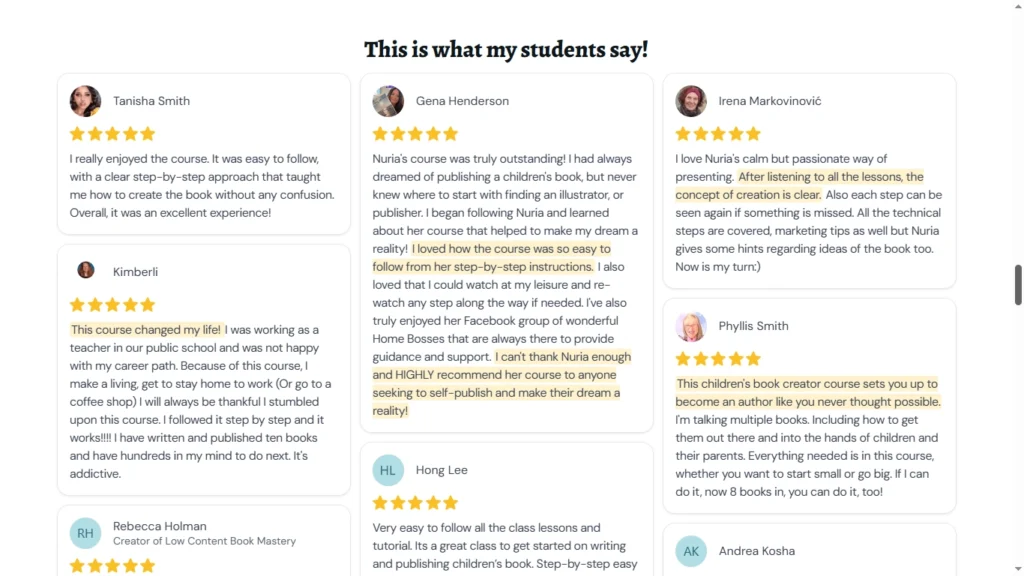
By the time I finished the core publishing modules, I had completed and published my own children’s picture book. The book went on to generate sales and also received a 5-star customer review, which gave me confidence that the process taught in the course really works when you put it into practice.
Of course, no course can guarantee sales. Success still depends on factors such as your story, illustrations, cover design, keywords, pricing, and marketing. But having a structured roadmap removed much of the guesswork and helped me avoid many beginner mistakes.
What I Liked Most
After working through a large portion of the course, here are the things that stood out to me.
1. A True Step-by-Step Process
One of the biggest strengths of this course is its structure.
Each module builds naturally on the previous one. You don’t feel like you’re jumping between unrelated topics or trying to figure out what to do next.
For beginners, having a clear roadmap is incredibly valuable.
2. Practical, Not Just Theory
Rather than explaining concepts with slides alone, Nuria actually creates a children’s book during the lessons.
Watching the process unfold page by page made it much easier to understand how everything fits together.
I found myself pausing the videos, applying the same steps to my own book, and then continuing with the next lesson.
3. Beginner-Friendly Canva Tutorials
If you’ve never used Canva before, don’t worry.
The course includes beginner-friendly Canva tutorials that explain the basics before moving into the actual book creation process.
Even if Canva updates its interface over time, the overall workflow remains very similar, so the lessons are still useful.
4. Downloadable Worksheets and Resources
Another feature I appreciated was the collection of worksheets and downloadable resources included throughout the course.
These cover topics such as:
- Story planning
- Plot development
- Book layouts
- Keyword research
- Book descriptions
Having printable resources made it easier to organize my ideas instead of starting from a blank page.
5. More Than Just Book Creation
Many courses stop after showing you how to create the book.
Children’s Book Creator goes further by covering:
- Keyword research
- Book titles
- Book descriptions
- Cover creation
- Amazon KDP publishing
- Author Central
- Marketing basics
That gives beginners a much better understanding of the entire publishing process rather than just one piece of it.
A Few Things to Keep in Mind
No course is perfect, and I think it’s fair to mention a couple of points before you decide to enroll.
First, this is a comprehensive course with more than 120 lessons. If you’re looking for a one-hour crash course, this isn’t it. You’ll get the most value by working through the lessons and applying what you learn as you build your own book.
Second, because I originally enrolled several years ago, you’ll notice that a few lessons reference older versions of Canva or Amazon KDP. Fortunately, the core publishing principles remain the same, and Nuria has also added newer lessons and bonus content over time.
Finally, remember that the course gives you the knowledge and roadmap, but you’ll still need to put in the work. Writing a good story, choosing quality illustrations, and creating a professional book are all part of the process.
Pros and Cons
Pros
- Complete step-by-step roadmap from idea to publication
- Beginner-friendly teaching style
- Practical, hands-on lessons
- Canva tutorials included
- Covers writing, design, publishing, and marketing
- Helpful worksheets and downloadable resources
- Private Facebook community
- Bonus tutorials and companion eBook
- Suitable even if you’ve never published a children’s book before
Cons
- The course is comprehensive, so it takes time to complete.
- Some older lessons reference previous versions of Canva, although the overall workflow is still relevant.
- Like any publishing course, your results depend on the effort you put into applying what you learn.
Who Is This Course Best For?
Based on my experience, I think Children’s Book Creator is a great fit for:
- Complete beginners who want to publish their first children’s picture book
- Amazon KDP publishers looking to expand into children’s books
- Authors who have a story idea but don’t know how to turn it into a finished book
- Anyone who wants to learn how to create children’s books using Canva
- Self-publishers who want a step-by-step roadmap instead of piecing together free YouTube videos
If you’ve already published several successful children’s books, you may already be familiar with much of the material. However, if you’re just starting out, the course can save you a lot of trial and error.
Pricing
Children’s Book Creator is a premium online course, and the price may change over time depending on promotions or special offers.
For the latest pricing and any bonuses currently included, I recommend checking the official sales page.
👉 Checkout Children’s Book Creator Here
Considering everything that’s included, from the video lessons and downloadable worksheets to the companion eBook and bonus tutorials, I think the course offers good value for someone who is serious about publishing children’s books.
Frequently Asked Questions
Is Children’s Book Creator suitable for complete beginners?
Yes. In fact, that’s who I believe will benefit the most from the course. Nuria explains each stage of the publishing process in a logical order, making it easy to follow even if you’ve never created a children’s book before.
Do I need to be good at drawing?
No.
The course explains different ways to source illustrations and also discusses working with illustrators if you don’t want to create the artwork yourself.
Do I need Canva Pro?
No. Much of the course can be followed using Canva, although some optional features may require Canva Pro depending on the resources you choose to use.
Does the course cover Amazon KDP?
Yes.
It includes step-by-step lessons on formatting your book, creating the cover, uploading your files, publishing on Amazon KDP, and even covers Kindle eBook publishing.
Will this course guarantee book sales?
No.
No course can guarantee sales or income.
What this course does provide is a clear roadmap for creating and publishing a professional children’s picture book. Your results will depend on factors such as the quality of your book, your niche, your cover, your keywords, pricing, and your marketing efforts.
My Final Thoughts
After taking this course and using it to publish my own children’s picture book, I can confidently say that it helped me understand the complete publishing process.
One thing I appreciated most was that the lessons were practical. Instead of simply explaining concepts, Nuria shows you how to apply them while building an actual book. That made it much easier for me to follow along and work on my own project at the same time.
Another thing I liked is that the course doesn’t stop after writing the story. It also covers titles, keywords, book descriptions, cover design, publishing, and marketing. Having everything in one place makes it a valuable resource that you can return to whenever you need guidance.
Would I recommend it?
Yes, especially if you’re a beginner who wants a structured, step-by-step approach to creating children’s picture books for Amazon KDP.
The course helped me publish my own book, generate sales, and receive a 5-star customer review. While everyone’s results will be different, my experience gives me confidence in recommending it to others who are serious about getting started.
If you’d like to learn more or see the latest pricing and bonuses, you can visit the official course page below.
👉 Check Out Children’s Book Creator Here
I hope this review has helped you decide whether Children’s Book Creator is the right course for your publishing journey. If you have any questions, feel free to leave a comment below, and I’ll do my best to answer them based on my own experience with the course.
Thanks for reading.
Subha
Note: This post has affiliate links, and I may earn a commission at no extra cost to you
👉 I have also reviewed 5 Best KDP Courses to start and scale low content and medium content publishing business, you can read the blog post here.
🧮 Create Math Workbooks in Minutes
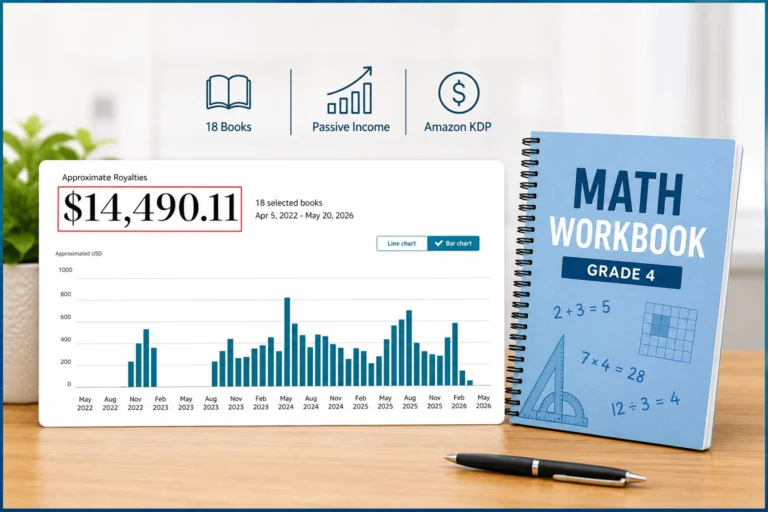
I’ve been using Math Worksheets Generator to create math workbooks super fast — and it’s a total game changer! So far, I’ve created 17 books (16 live on Amazon) and made over $14,000 in royalties.
The vendor recently introduced a monthly subscription, but the lifetime deal is still available — and it might be discontinued soon.
Get Math Worksheets GeneratorAffiliate disclaimer: I may earn a small commission if you purchase through my link — at no extra cost to you.